TikTok Shop verification is the gate every seller must pass, and it is stricter than many brands expect. The platform has invested heavily in keeping counterfeit, unsafe and misleading products off the marketplace, and that shows up in the documents it asks for during onboarding and when you list products in certain categories.
The good news is that almost every verification problem is avoidable. This guide explains what TikTok Shop typically asks for, why it asks, and how to prepare a clean application. Exact requirements vary by country and are updated regularly, so always confirm the current list in Seller Center for your market.
Why TikTok Shop Verifies Sellers
TikTok Shop sells inside an entertainment app used by hundreds of millions of people. When a shopper buys from a creator's video, they trust that the product is genuine and safe. Verification protects that trust in three ways: it confirms that a real, accountable business stands behind each shop; it ensures payments go to the right legal entity for tax purposes; and it gives the platform a way to act if a seller breaks the rules.
Understanding this logic helps. When the platform asks for a document, it is usually trying to answer one of three questions: who you are, whether you are allowed to sell this product, and whether the product is safe and legal.
Business Eligibility Requirements
Most markets require a registered business for brand sellers. Expect to provide some or all of the following:
- Business registration certificate or articles of incorporation showing the legal name and registration number.
- Tax identification number for the business, such as an EIN in the United States or the local equivalent.
- Registered business address that matches official records.
- Proof of address in some cases, such as a recent utility bill or bank statement.
- Operating history or sales history in certain markets or categories, which may be checked against other marketplaces or your website.
Some markets also restrict which countries a business can be registered in for local selling. Cross-border programmes exist for sellers based elsewhere, but they have their own criteria. If you are unsure, check the eligibility page for the specific market before registering.
Identity Verification for Representatives
TikTok Shop usually requires identity verification for a primary contact and, in some markets, for beneficial owners who hold a significant share of the business. Expect to upload a government-issued photo ID such as a passport or driving licence and possibly complete a selfie or liveness check.
The most common rejection reasons are simple: the photo is blurred or cropped, the document has expired, or the name entered in the form differs from the name on the ID. Use the full legal name exactly as written on the document and upload a high-resolution colour image with all four corners visible.
Bank Account and Payout Requirements
Your payout account should be a business account in the same legal name as the registered entity. Some markets may accept certain payment service providers, but matching names is the safest choice. A mismatch between the business name and the bank account holder is one of the most frequent causes of held payouts. If your bank abbreviates your company name, keep a bank letter or statement showing the full name ready in case support asks.
Brand Registration and Authorization
If you own a brand, register it in Seller Center. You will generally need a registered trademark or a pending application, along with proof that you own it or are authorised to use it. Brand registration helps protect your listings against hijackers and copycats and may unlock categories that are restricted to brand owners.
If you resell another company's brand, you will typically need an authorization letter or a distribution agreement, sometimes along with purchase invoices. These documents should name both parties, the brand and the validity period. Expired or vague letters are a frequent reason for listing removals, so keep them current.
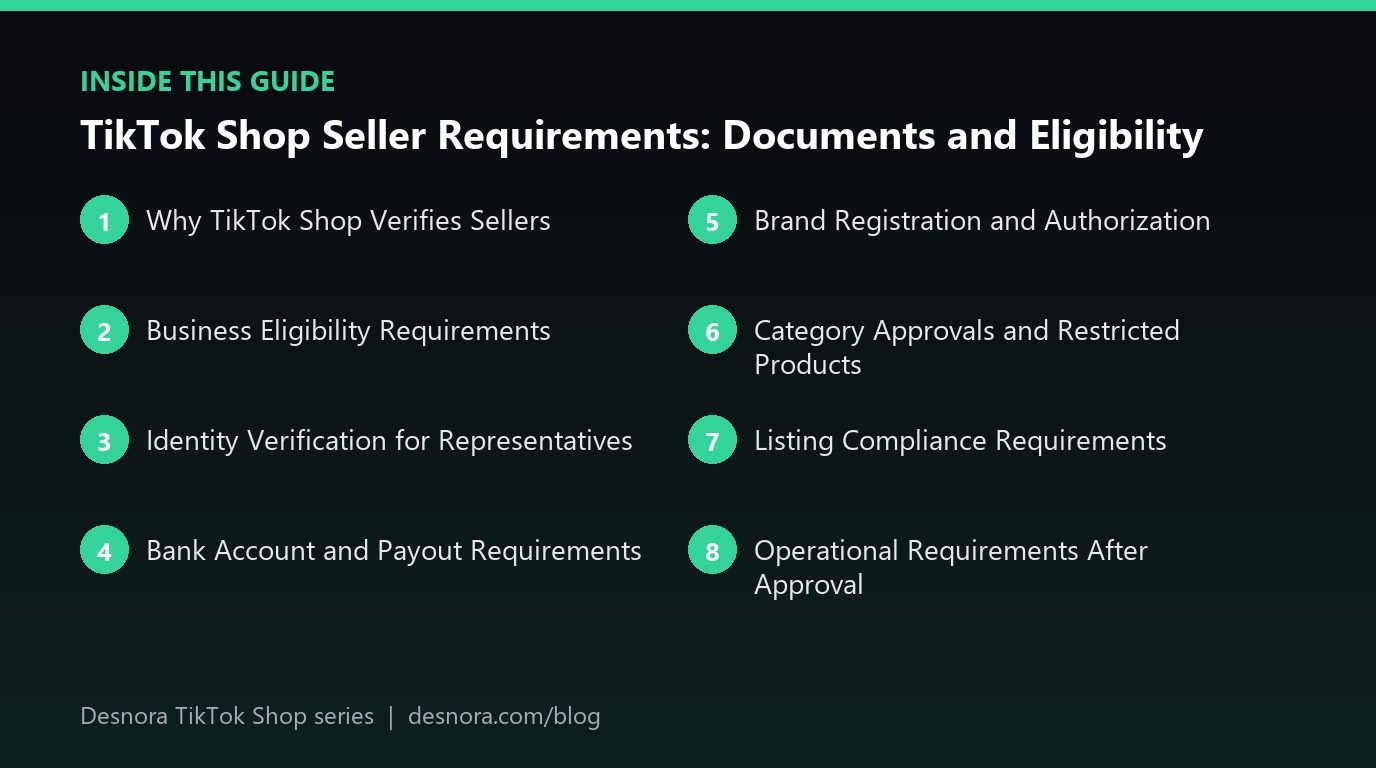
Category Approvals and Restricted Products
Not every product can be listed immediately. Categories such as cosmetics, skincare, supplements, food, baby products, electronics with batteries and some health devices often require additional approval. Depending on the category and market, you may be asked for:
- Product safety test reports from accredited laboratories.
- Certificates of conformity or compliance marks relevant to the market.
- Ingredient lists, safety data sheets or labelling images.
- Registrations or notifications with the relevant regulator, such as cosmetic product notifications.
- Insurance documents in some higher-risk categories.
Some products are prohibited entirely, including many weapons, drugs, certain medical devices, counterfeit goods and products making unapproved health claims. Before investing in inventory or creator campaigns, check the prohibited and restricted product policies for your market. Selling a restricted product without approval is one of the fastest ways to collect violations. Our guide to TikTok Shop account health explains how violations accumulate.
Listing Compliance Requirements
Passing onboarding does not end compliance. Every product listing is reviewed against content rules. Requirements usually include accurate titles and descriptions, images that represent the actual product, correct categories and complete attributes. Claims are a frequent sticking point: words like "cure", "treat", "guaranteed results" or "number one" can trigger rejection unless you can substantiate them and they are permitted in that category.
Write factual, benefit-led copy instead. Rather than "cures acne", describe what the product does and how to use it within the rules of your category. Our article on TikTok Shop listing optimization shows how to write copy that converts without crossing policy lines.
Operational Requirements After Approval
Once you are live, TikTok expects you to meet ongoing standards. These generally cover dispatch speed, valid tracking, cancellation rates, response times to customer messages and product quality signals such as negative reviews and return reasons. Missing these targets can reduce your visibility or lead to restrictions. Plan staffing and logistics around them from the start, using our guide to TikTok Shop shipping performance.
A Verification Checklist You Can Use
Before you begin, assemble a folder with:
- Business registration certificate (clear PDF scan).
- Tax ID confirmation letter or document.
- Photo ID for the primary representative and any beneficial owners required.
- Recent proof of business address.
- Bank statement or letter showing the account holder name.
- Trademark registration certificate or application receipt.
- Authorization letters for any third-party brands you sell.
- Safety and compliance documents for restricted categories.
- Product images, titles, descriptions, weights and dimensions for your first listings.
With this folder ready, most of the setup process described in how to set up a TikTok Shop becomes routine data entry.
Keeping Your Documents Current
Verification is not a one-time event. Documents expire, businesses move, ownership changes and authorization agreements reach their end dates. TikTok Shop may ask you to re-verify details at any point, particularly after a change to your business information, a sudden spike in sales or a policy update in your category. If the platform cannot confirm your details, it may pause payouts or listings until the issue is resolved.
The simplest defence is a compliance calendar. Record the expiry date of every ID, certificate, test report and authorization letter you have submitted, and set reminders a month before each one expires. Store the latest versions in a shared folder that your operations team can reach quickly. When a request arrives, you can respond the same day instead of scrambling while your listings sit offline.
It also helps to assign a single owner for compliance. In small teams this is often the operations lead. Their job is to watch Seller Center notifications, track policy announcements for your categories and make sure new products have the right documents before launch. Brands that do this rarely face surprise suspensions, and when they do, they recover quickly because the paperwork is already organised.
What to Do If Your Application Is Rejected
Read the rejection reason carefully. TikTok usually specifies the field or document that failed. Fix exactly that issue and resubmit, rather than changing several things at once. If the reason is unclear, contact seller support with your application details and ask which document needs correction. Keep a log of each submission and response so you can reference earlier conversations.
Repeated failed submissions can slow down future reviews, so it is worth getting it right the first time. If you would like an experienced team to prepare and submit your application, Desnora handles onboarding as part of our TikTok Shop management service. Get in touch and we will review your documents before you apply.
Frequently Asked Questions
Can a non-US company sell on TikTok Shop US?
Eligibility for local selling depends on the market's current rules, which can restrict registration country. Cross-border programmes may be available for overseas businesses. Check the latest criteria in Seller Center for the specific market.
Do I need a trademark to sell on TikTok Shop?
Not always, but brand owners benefit greatly from registering a trademark. It protects your listings and may be required for certain categories or brand features.
Why was my TikTok Shop verification rejected?
The most common reasons are blurred or expired documents, names that do not match the business registry or bank account, and addresses written differently from official records.
Which products need extra approval on TikTok Shop?
Categories such as beauty, skincare, supplements, food, baby products and some electronics often require category approval with safety or compliance documents. Requirements vary by market.
Can I sell products from other brands?
Yes, if you have valid authorization from the brand owner, such as a distribution agreement or authorization letter. Keep these documents current, as expired authorizations can lead to listing removals.