Opening a TikTok Shop looks quick on paper: sign up, upload products, start selling. In practice, the setup decisions you make in the first week affect everything that follows, from how fast you get paid to whether your listings survive review and whether creators can find your products. This walkthrough covers each stage in the order we use when launching shops for clients, with the reasoning behind each step so you can adapt it to your business.
Menus and requirements differ by country and change over time, so treat this as a practical framework and confirm the latest details inside Seller Center as you go.
Before You Start: Decisions to Make First
Gather a few answers before you open the registration page. Changing them later can mean re-verification or support tickets.
- Which legal entity will own the shop? Use the business that holds your brand, bank account and tax registration. Registering under a personal name and switching later is painful.
- Which market are you selling into? TikTok Shop operates country by country, and each market has its own Seller Center, rules and eligibility criteria.
- How will you fulfill orders? Self-fulfillment, a 3PL, TikTok's fulfillment service or a multichannel setup each need different address and integration choices. Our article on TikTok Shop fulfillment options compares them.
- Do you own the brand? If you are the trademark owner, plan to register the brand in Seller Center so you can protect listings. If you resell other brands, collect authorization documents now.
The full list of documents is in our guide to TikTok Shop seller requirements.
Step 1: Register in Seller Center
Go to the TikTok Shop Seller Center for your country and sign up with a business email or phone number. Use an email address the business controls long term, such as a shared operations inbox, rather than a personal address belonging to one employee. If that person leaves, recovering access to a shop is far harder than updating a team inbox.
Choose the seller type that matches your entity. Most brands will register as a business rather than an individual. Business accounts typically unlock higher limits and more features, and they are the right choice for any company planning to scale.
Step 2: Verify Your Business and Identity
Verification is where most delays happen. You will usually be asked for business registration details, a tax identification number, and identity documents for a primary representative or beneficial owner. The details you enter must match your documents exactly, including punctuation in the business name and the format of the registered address.
Common causes of rejection include blurry uploads, expired IDs, names that do not match the business registry, and addresses written differently from the official record. Scan documents in colour, crop them cleanly and double-check spelling before submitting. If a submission is rejected, read the reason carefully and fix only that issue so the next review is fast.
Step 3: Connect Payouts and Tax Information
Add a business bank account in the same name as your registered entity. Mismatched names are a frequent reason payouts are held. Complete any tax forms or settings requested for your market so that your statements and any tax collection are handled correctly from day one.
Take a moment here to understand how settlement works: when funds become available after delivery, which fees are deducted, and how refunds are netted out. Our article on TikTok Shop fees walks through the deductions you will see on statements.
Step 4: Add Warehouse and Return Addresses
Enter the address where orders ship from and the address where returns should go. If you use a 3PL, use the 3PL's warehouse details for pickup and returns, and confirm with them how TikTok shipping labels will be printed. If you plan to fulfill from multiple locations, set each one up now so shipping estimates stay accurate.
A return address that does not accept parcels, or an outdated warehouse address, creates failed pickups and refund disputes that hurt your shop's metrics. Test the process with your logistics partner before you go live.
Step 5: Configure Shipping Settings
Decide whether you will use TikTok's shipping service, where the platform provides labels and carrier rates, or arrange your own carriers. Platform shipping is the simplest option for most new shops because tracking syncs automatically and delivery estimates shown to shoppers are reliable.
Set a handling time you can always meet, not your best-case time. TikTok measures dispatch against the commitment and penalises late shipments. If your warehouse usually ships in one day but sometimes needs two, commit to what you can achieve during your busiest week. Our guide to TikTok Shop shipping performance explains the metrics involved.
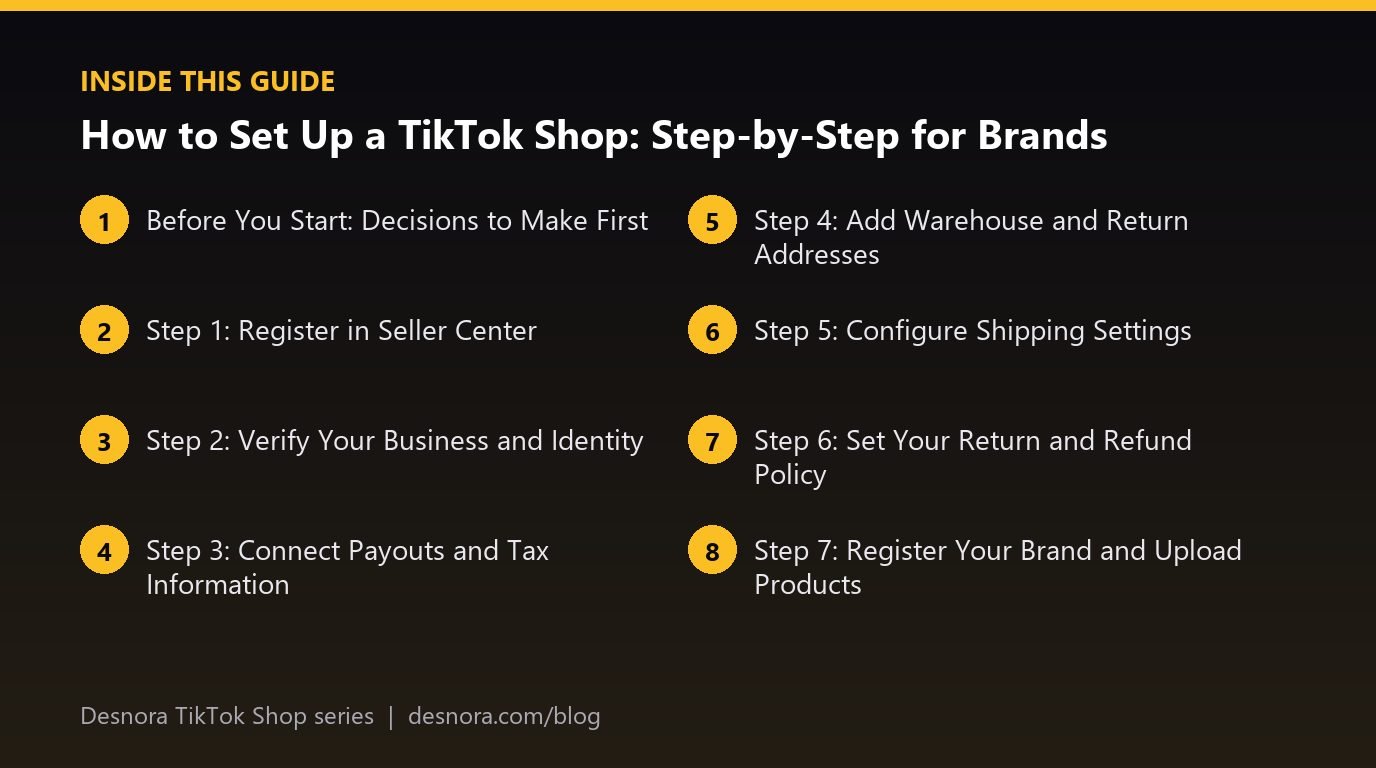
Step 6: Set Your Return and Refund Policy
Configure a return window and policy that meet the platform minimum for your market and that you can operate smoothly. Be explicit about condition requirements for categories like cosmetics or personal care where hygiene matters. Clear policies reduce disputes and give your customer service team a consistent basis for decisions. Read more in our article on TikTok Shop returns and customer service.
Step 7: Register Your Brand and Upload Products
If you own a trademark, register your brand in Seller Center. Brand registration helps protect your listings and may be required to sell in certain categories. Then upload your first products. Start with three to five hero products rather than your entire catalog. A focused launch is easier to support with creators and samples, and early sales signals concentrate on fewer listings.
For every product, prepare:
- A clear, searchable product title and an accurate category.
- A strong main image on a clean background plus lifestyle and detail images.
- Complete attributes such as size, material, colour, ingredients or compatibility.
- Variant options with correct SKUs, prices and stock levels.
- Package weight and dimensions so shipping rates are calculated correctly.
Products go through a review before they are visible. Avoid medical or exaggerated claims, before-and-after language in restricted categories and any wording that implies an endorsement you do not have. Our guides to listing optimization and product images go deeper.
Step 8: Link Your TikTok Account
Link your brand's official TikTok account to the shop so you can tag products in your own videos and go LIVE with a product list. The linked account becomes the face of your shop, so make sure the profile photo, bio and handle match your brand. If you plan to run creator accounts for different product lines, check how many accounts you can link and which roles they can have.
Step 9: Turn On the Affiliate Program
Enable affiliate selling and set an open commission rate for your products so any eligible creator can add them to their showcase. Then prepare targeted collaborations with higher commissions for the creators you most want to work with. A competitive open rate is the single fastest way to get early creator content. Our article on the TikTok Shop affiliate program explains how to structure commissions.
Step 10: Run a Pre-Launch Checklist
Before you push traffic, place a test order if your market allows it, or have a team member buy a low-priced product. Check the experience end to end: does the product page look right on a phone, does the order appear in your system, does the label print, does tracking update, and does the payout appear as expected? Fixing problems with one test order is far cheaper than fixing them with five hundred real ones.
Also review notification settings so the right people receive alerts for new orders, customer messages and policy notices. Many shops lose points simply because nobody saw a message in time.
After Setup: Your First 30 Days
With the shop live, focus on three things: content, creators and operations. Post brand videos every day using a few hook variations, send samples to a first wave of creators, and watch your dispatch and response metrics closely. Use the playbook in our complete TikTok Shop seller guide to plan the next 90 days.
If you would rather have experts handle setup, integrations and launch, Desnora offers full TikTok Shop setup and management. You can also book a free consultation to review your plan.
Frequently Asked Questions
How long does TikTok Shop verification take?
Verification often completes within a few business days when documents are clear and details match exactly. Rejections and resubmissions add time, so double-check every field before you submit.
Can I open a TikTok Shop without a registered business?
Some markets allow individual sellers, but brands should register as a business. Business accounts are better suited to scaling, payouts in the company name and brand protection.
Do I need a TikTok account with followers to start a shop?
No. You can sell through affiliate creators and the Shop tab from day one. Followers on your own account help over time, but they are not a requirement to start.
How many products should I launch with?
Start with three to five hero products that are easy to demonstrate. A focused launch concentrates creator content and early sales, which helps those listings gain momentum.
Can I connect my Shopify store or other inventory systems?
Yes. TikTok Shop supports integrations with major ecommerce platforms and order management tools, so you can sync products, stock and orders. See our guide on connecting Shopify to TikTok Shop for details.