A TikTok Shop account holds your products, orders, customer data, creator relationships and payouts. If someone takes it over, they can change bank details, list fake products, message customers or damage your account health in hours. Account takeovers of seller and creator accounts are a real and common risk, usually through phishing, reused passwords or former team members who kept access.
This guide covers practical steps to secure your TikTok Shop and the TikTok accounts linked to it. Security settings differ by market and change over time, so check the security options in Seller Center and the TikTok app.
Common Ways Accounts Are Compromised
- Phishing: fake emails or messages pretending to be TikTok Shop, asking you to log in or share a code.
- Reused passwords: a password leaked from another site is tried on your account.
- Shared logins: passwords passed around teams and agencies.
- Former staff and partners: people who left but kept access.
- Malicious apps: apps or browser extensions that request too much access.
- SIM swaps: attackers taking over a phone number to receive codes.
Use Business-Owned Emails and Phone Numbers
Register the main seller account and the official TikTok account with business email addresses and phone numbers the company controls, not personal ones belonging to an employee. Use a role address such as an operations mailbox, protected with its own strong security. If the person who set up the account leaves, the business must still control recovery.
Strong, Unique Passwords
Use a long, unique password for Seller Center and every linked TikTok account. Never reuse passwords from other services. Use a business password manager to generate and store passwords and to share access safely with authorised people, rather than sending passwords in chat or spreadsheets.
Two-Factor Authentication
Turn on two-factor or two-step verification for Seller Center, every linked TikTok account, your email accounts and your Business Center and ad accounts. Where options exist, an authenticator app is generally more secure than SMS codes, which can be intercepted through SIM swaps. Store backup codes securely. Make sure verification goes to a business-controlled device or account, not a single employee's personal phone.
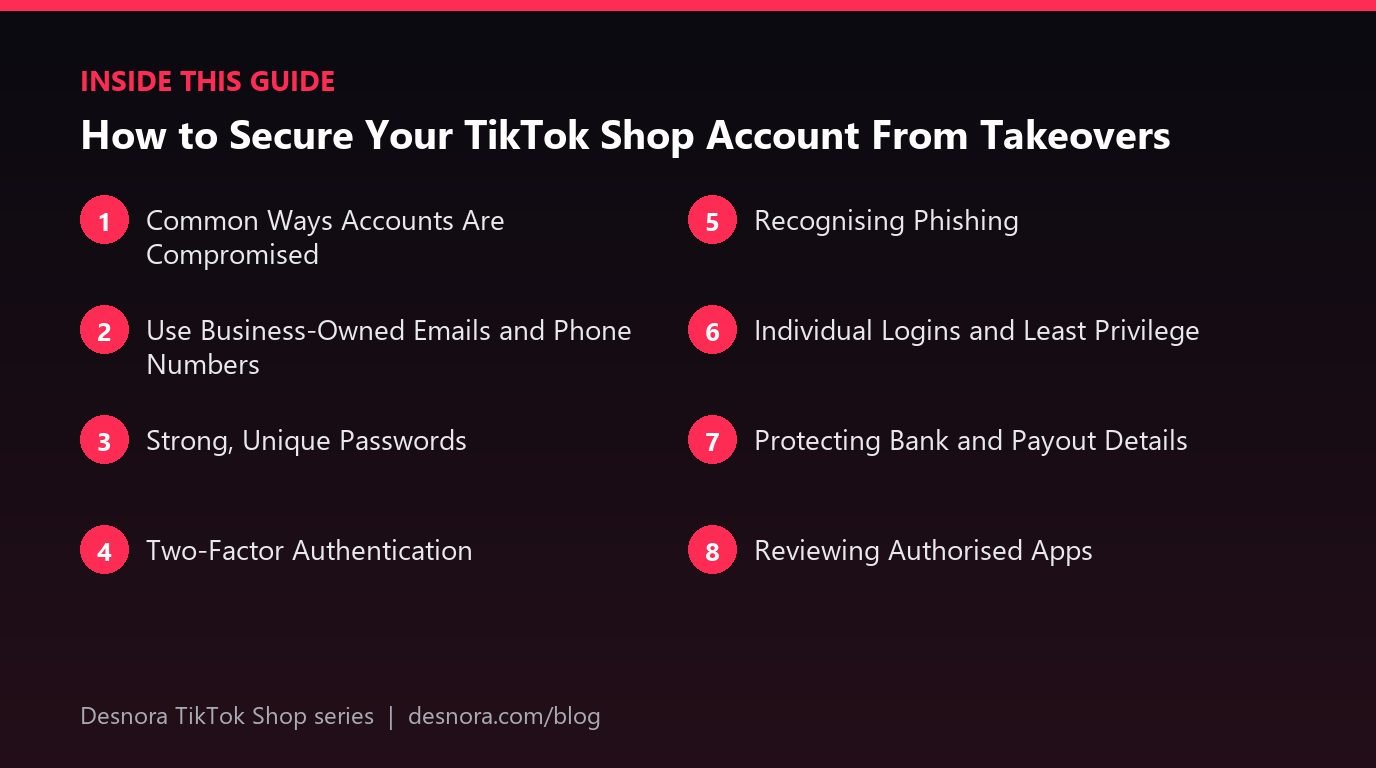
Recognising Phishing
Phishing messages often claim urgency: your shop will be suspended, a payout is on hold, a violation needs immediate action or a brand deal awaits. They link to fake login pages or ask for verification codes. Protect yourself with simple rules:
- Never share verification codes with anyone, including people claiming to be TikTok staff.
- Do not log in through links in emails or direct messages; open Seller Center directly from a bookmark.
- Check the sender address and the website address carefully.
- Verify violation and payout notices inside Seller Center itself.
- Be suspicious of unexpected attachments and "collaboration" files.
Individual Logins and Least Privilege
Give every team member and agency their own sub-account with only the permissions they need. This limits the damage if one login is compromised and makes changes traceable. Our guide to user roles and permissions explains setup.
Protecting Bank and Payout Details
Criminals target payout details because changing them diverts your money. Restrict bank detail changes to the owner on the main account. Watch for notifications that bank or business details changed, and act immediately if you did not make the change. Reconcile payouts regularly so you notice missing settlements quickly. Our payouts guide explains settlement checks.
Reviewing Authorised Apps
Every app connected to your shop has some access. Review authorised apps in settings regularly and remove any you do not recognise or no longer use. Only authorise apps from reputable providers or the official app marketplace. Be wary of browser extensions that ask to read and change data on all websites.
Offboarding People Promptly
When someone leaves or a contract ends, remove their Seller Center access, change passwords on any shared business accounts they knew, remove them from Business Center and unlink accounts they control. Do it the same day. Keep an access register so nothing is missed.
Monitoring for Suspicious Activity
Watch for warning signs: login alerts from unfamiliar locations, products you did not create, price changes you did not make, unexpected messages to customers, changes to linked accounts or bank details, or sudden policy violations. Check login and activity logs where available. Act fast when something looks wrong.
What to Do If You Are Compromised
- Change the password immediately if you still have access, and sign out other sessions where possible.
- Secure your email account, as attackers often take it over first.
- Re-enable or reset two-factor authentication.
- Remove unknown users and apps.
- Check bank details, products, prices and promotions for changes.
- Contact seller support through official channels and report the takeover.
- Tell your team, agencies and creators not to act on unusual messages from your accounts.
Account Recovery Preparation
Recovery is much easier if you can prove ownership. Keep records of business registration documents, the emails and phone numbers used to register, original setup dates and invoices. Keep these somewhere secure but accessible to the owner. Our guide to linking accounts recommends a register of linked accounts.
Securing Your Email Account First
Your email account is the master key to everything else, because password resets for Seller Center, TikTok, Business Center and your bank often go to it. If an attacker controls your email, they can reset almost any other password. Protect the business email accounts linked to your shop with long unique passwords and two-factor authentication, review forwarding rules regularly to make sure no unknown forwarding has been added, and limit who can access those mailboxes.
Devices and Networks
Keep devices used for Seller Center updated, with screen locks and up-to-date browsers. Avoid logging in on shared or public computers. Be careful on public Wi-Fi, and log out of Seller Center on devices you do not control. Remove old devices from trusted device lists where the option exists. For teams, a simple rule that work accounts are only accessed from work-approved devices removes many risks.
Scams Targeting Sellers
Beyond phishing, sellers see other scams: fake creators asking for large upfront payments, fake buyers trying to move conversations off the platform, people offering to boost your account or remove violations for a fee and fake support agents on social media. Keep all buyer communication and payments inside TikTok Shop, use only official support channels and treat offers that sound too good to be true as scams.
Training Your Team
Security is only as strong as the least careful user. Brief every team member on phishing, code sharing and password rules when they join, and repeat it a couple of times a year. Share real examples of scam messages your team has received. Encourage people to report suspicious messages without fear of blame.
A Worked Example: A Near-Miss
A marketing assistant receives a direct message claiming to be from TikTok Shop, warning of a policy violation and linking to a "verification page". The page asks for a login and a code. Because the team had been trained, the assistant opens Seller Center from a bookmark instead and sees no violation. They report the message, the owner shares it as a warning with the team and nothing is lost. The same week, the owner moves two-factor authentication from an employee's phone to a business authenticator account.
Security Checklist
- Business-owned email and phone for all accounts.
- Unique passwords stored in a password manager.
- Two-factor authentication everywhere.
- Individual logins with least privilege.
- Bank changes restricted to the owner.
- Regular reviews of users and apps.
- Same-day offboarding and phishing training.
Desnora helps brands run TikTok Shop operations securely. Explore our TikTok Shop services or get in touch.
Frequently Asked Questions
How do I protect my TikTok Shop from hackers?
Use business-owned logins, unique passwords, two-factor authentication, individual sub-accounts and phishing awareness.
Should I turn on two-factor authentication?
Yes, for Seller Center, linked TikTok accounts, email and ad accounts.
Will TikTok ever ask for my verification code?
Treat any request for a code as suspicious. Never share verification codes with anyone.
How do I spot a phishing message?
Look for urgency, threats, unusual links, wrong sender addresses and requests for logins or codes.
What should I do if my shop is hacked?
Secure your email and password, reset two-factor, remove unknown users and apps, check bank details and contact support.
Who should be able to change bank details?
Only the shop owner on the main account.
Is SMS verification safe?
It is better than nothing, but an authenticator app is generally more secure where available.
Should agencies have my password?
No. Give them limited sub-accounts or use official partner authorisation.
How often should I review access?
At least quarterly, and immediately when people leave.
Why use a business email instead of a personal one?
So the business keeps control of recovery if the person who set up the account leaves.
Can connected apps be a security risk?
Yes. Authorise only reputable apps and remove those you no longer use.
What records help with account recovery?
Business registration documents, registration emails and phone numbers, setup dates and invoices.
Why is my email account so important for shop security?
Password resets for Seller Center and linked accounts often go to email, so whoever controls it can take over almost everything else.
Can someone remove violations from my shop for a fee?
Treat such offers as scams. Use only official appeal processes and support channels inside Seller Center.